Showing posts with label alpha. Show all posts

Feb 24, 2009

Jaunty's New Login Screen And Other Features

Softpedia has just posted a sneak peek at some of the upcoming features in Jaunty. One of these new features was introduces with tonight's updates and it is a brand new login screen a.k.a. GDM (GNOME Display Manager) theme, which is black and has a nice Ubuntu logo in the right bottom corner. The new login screen is entitled "Human" and it was created by Kenneth Wimer and Mat Tomaszewski for Canonical.

Check it out here...

Jan 15, 2009

Ubuntu 9.04 boots in 21.4 seconds

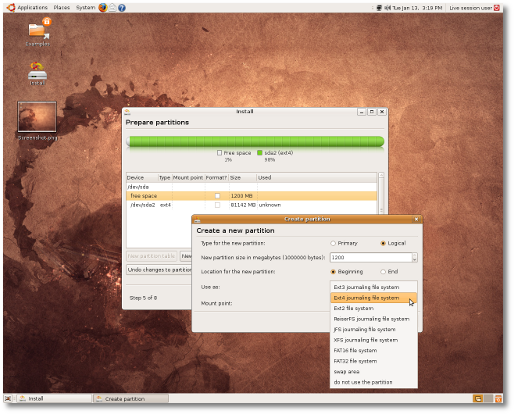
Softpedia reports that Ubuntu 9.04 Boots in 21.4 Seconds using the current daily build and the newly supported EXT4 file system.

The article provides some interesting test results, as you can see below:
· Ubuntu 8.10 with EXT3 filesystem boots in 31.8 seconds (on the AMD Sempron system);
· Ubuntu 9.04 Alpha (Build 20090112.1) with EXT3 filesystem boots in 28.3 seconds (on the AMD Sempron system);
· Ubuntu 9.04 Alpha (Build 20090112.1) with EXT4 filesystem boots in 23.1 seconds (on the AMD Sempron system).

· Ubuntu 8.10 with EXT3 filesystem boots in 26.8 seconds (on the Intel Core 2 Duo system);
· Ubuntu 9.04 Alpha (Build 20090112.1) with EXT3 filesystem boots in 24.5 seconds (on the Intel Core 2 Duo system);
· Ubuntu 9.04 Alpha (Build 20090112.1) with EXT4 filesystem boots in 21.4 seconds (on the Intel Core 2 Duo system)!


From the article:
'There are only two days left until the third Alpha version of the upcoming Ubuntu 9.04 (Jaunty Jackalope) will be available (for testing), and... we couldn't resist the temptation to take the current daily build for a test drive, before our usual screenshot tour, and taste the "sweetness" of that evolutionary EXT4 Linux filesystem. Announced on Christmas Eve, the EXT4 filesystem is now declared stable and it is distributed with version 2.6.28 of the Linux kernel and later. However, the good news is that the EXT4 filesystem was implemented in the upcoming Ubuntu 9.04 Alpha 3 a couple of days ago and it will be available in the Ubuntu Installer, if you choose manual partitioning. The bad news is that EXT4 will not be the default filesystem for the Ubuntu OS until version 9.10, due for release in late October this year.


Linux hardware site Phoronix has released benchmarks based on extensive Ext4 performance testing that was conducted with a solid-state drive. The most impressive results can be seen in the IOzone test, which measures write performance for a large file. In this test, Ext4 annihilated the competition and significantly outperformed XFS, JFS, ReiserFS, and Ext3. The new filesystem also outpaced its peers in the Intel IOMeter File Server Access Pattern Test.


Source: Slashdot
Source: Arstechnica

Mar 19, 2008

Test pre-releases in a more eco-friendly way.

Idea description:
The idea is for a very simple and user-friendly program, which provides the user with an up-to-date list of pre-released (alpha, beta, release candidate…) versions of Ubuntu. The user then chooses a version, for instance Hardy Heron Alpha 6, and the program sets up the partitions needed and installs the selected (ISO) data on the users USB flash drive. Now the user can boot up on the USB flash drive and install the selected release as if it was from a CD. Afterwards the user can erase the data from the flash drive by clicking the “remove data” button inside the program.

Reason:
1. The short release cycle in Ubuntu (and many other distributions), means that every six months, many people download the Alpha 1, 2, 3…, Beta, Release candidate and at last the final release. That’s a lot of CD’s being burned, and when the release you downloaded is outdated, you properly won’t use the CD again. Linux is actually quite eco-friendly (http://www.whylinuxisbetter.net/items/environment/index.php?lang=), but this program could provide a way to reduce the amount of CD’s ending up in the trash bin.

2. This program would also provide a tool, that would easily make users able to carry a portable Linux version (and their portable desktop) around with them on their USB flash drive.

Contribute:
Please comment on this project! If you want to help out (especially programmers) please let me know.

Links:
Below is a guide to install, boot and run Ubuntu 7.10 from a flash drive. It seems kind of difficulty, especially for beginners, compared to how I imagine this program would work.
http://www.pendrivelinux.com/2007/09/28/usb-ubuntu-710-gutsy-gibbon-install/