I haven't exactly been keeping this blog up to date with information about and from UDS. There's simply way too much going on here for me to cover it all. I'm not going to write a long summary today either, but I've listed some links below. If you want to know more about the discussions, check the Gobby documents which contains the actual notes from the sessions.
You can get videos from UDS on our Ubuntu Developers Blip.tv channel, and our Ubuntu Developers YouTube channel.
My fellow blogger at http://www.omgubuntu.co.uk/ is doing an amazing job, writing about the discussions and decisions made here at UDS in Dallas.
GIMP To Be Removed From Lucid; F-Spot Has Challengers
PiTiVi On Course To Become A Default Application In Lucid
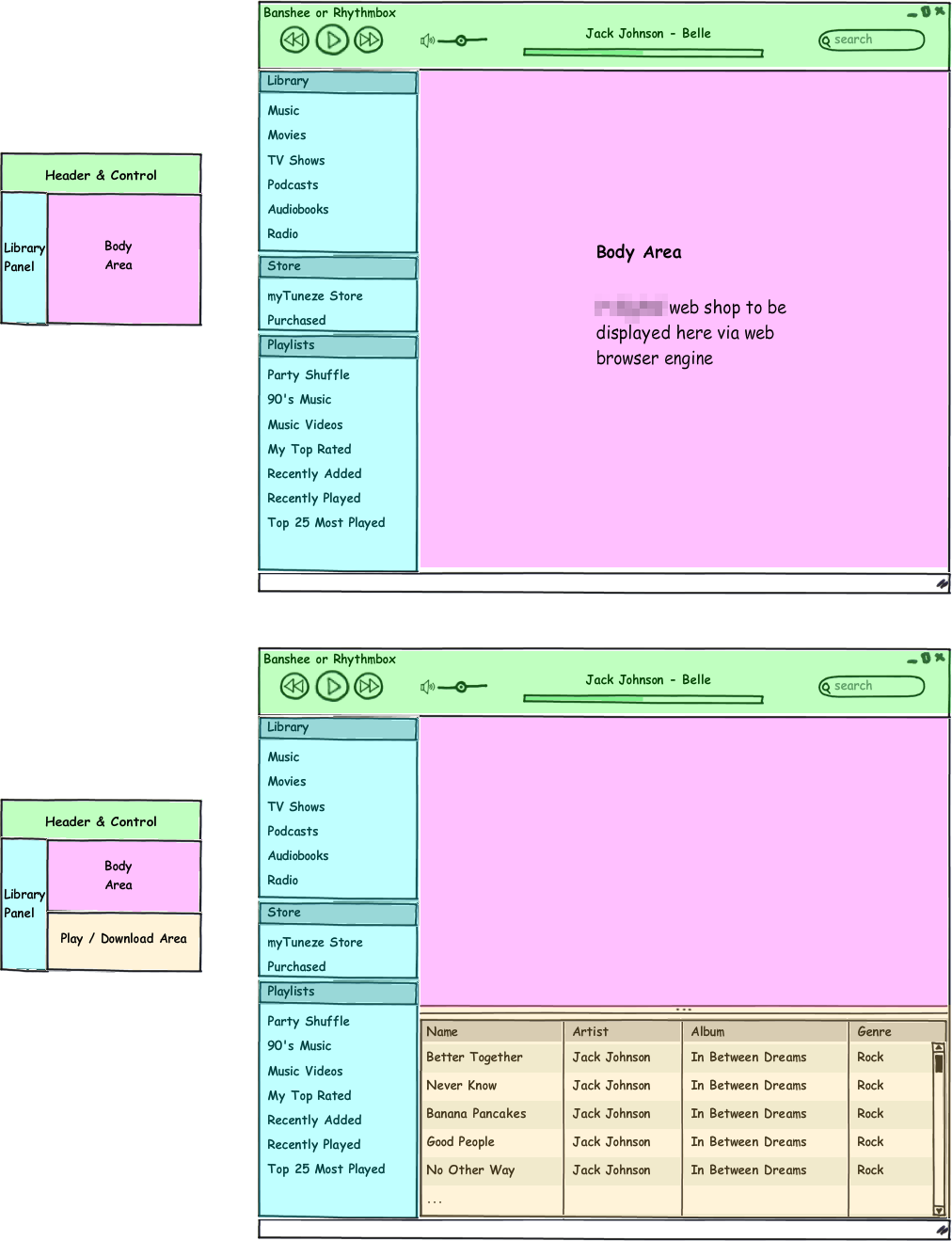
Ubuntu Music Store Coming In Lucid - Gets Detailed
Showing posts with label UDS. Show all posts
Nov 20, 2009
Nov 17, 2009
UDS - day one
I’m at the Ubuntu Developers’ Summit (UDS) in Dallas. If you don't already know what UDS is, please read Alan Popes blogpost which describes it rather well here...
Remember you can easily participate even if you're not here.
I've been meeting some very nice three dimensional people with full-sized human bodies and their hackergotchis sitting on top. Today I attended four sessions besides the joint ones in the Grand Ballroom. I'll try to describe some sessions below.
Opening Plenary
The day kicked off with Jono Bacon, who made an introduction in the Grand Ballroom at 9:00 am. Besides a lot of practical details, Jono told us to eat healthy food, get enough sleep and be awesome! He pointed out that it is important that we stay on topic and that we get the most out of the one hour we're given in each session. Mark Shuttleworth also spoke briefly about Ubuntu 10.04 LTS.
Desktop round table
At this session we talked about what's important to focus on in this LTS release. Should the choice of applications remain the same to give users a feel of consistency, when moving from one release to another - or should we simply ship the best application for the job to deliver the best desktop experience. Banshee vs. Rhythmbox was brought up as an example.
Although this case was only a thought experiment, I should add that it is not likely that Lucid will be shipped with Banshee. Rick Spencer, the desktop team leader, also brought up the controversial idea of removing the GIMP in favor of a video editor, but he wanted to save the juicy details for the Wednesday session Application selection in the default install.
Boot preformance
Scott James Remnant talked for two hours about the plans for further improvements and about how to achieve it. He started the session by giving a short introduction to how to read boot-charts – mainly because people often get it wrong. To sum it up shortly, there are two graphs, the CPU graphs is how hard the CPU is working, the second is the disk being used. On the CPU blue is the CPU working hard, idle is generally bad. Disk utilization, we want the disk to be used as hard as possible for as short a time as possible; red is bad.
Even though we haven't seen much improvement in Karmic, all the under the hood work done in Karmic will shine though in Lucid. Scott talked about having budgets for each section of the boot. If all the teams all hit their budgets, the goal is achieved. He then gave a list of specific tasks to work on for each team to meet the goal. This was a very interesting session indeed.
Short joint sessions
After lunch we all meet back in the Grand Ballroom where Jono talked shortly about how to run a good session. He had created some pretty slides and remembered to recharge his laptop.
MPT explained the future plans for the Software Center. Throughout the week there will be some Software Center sessions, so I won't go into details here. I'm really looking forward to seeing the application mature.
Didier Roche (didrocks) and Rick Spencer did a demonstration of Quickly by writing a small application, building it, testing it and uploading it to a PPA in like five minutes. A fantastic usability improvement if you're writing applications on Linux. The videos aren’t up yet, but there are previous screen-casts showing it off.
Boot experience work
This session focused on the technical how to of the boot experience. Here Scott James Remnant again did much of the talking (along with Collin) and demonstrated his Plymouth dancing monkey animation. The plan for Lucid is to introduce Plymouth, although the details on how everything will fit together isn't entirely clear to me yet. Mat Tomaszewski had a list of technical issues that he wanted to discuss solutions for. Like; Removing the semi hidden and currently flickering mouse cursor and the fade in/out during startup and shutdown, etc..
Looking forward to tomorrows sessions.
Remember you can easily participate even if you're not here.
The sessions
Every day I read, write and listen to English, and yet I rarely speak it. This trip to UDS in Dallas has been really challenging for both my tongue and my English vocabulary.I've been meeting some very nice three dimensional people with full-sized human bodies and their hackergotchis sitting on top. Today I attended four sessions besides the joint ones in the Grand Ballroom. I'll try to describe some sessions below.
UDS name badges
Opening Plenary
The day kicked off with Jono Bacon, who made an introduction in the Grand Ballroom at 9:00 am. Besides a lot of practical details, Jono told us to eat healthy food, get enough sleep and be awesome! He pointed out that it is important that we stay on topic and that we get the most out of the one hour we're given in each session. Mark Shuttleworth also spoke briefly about Ubuntu 10.04 LTS.
Desktop round table
Although this case was only a thought experiment, I should add that it is not likely that Lucid will be shipped with Banshee. Rick Spencer, the desktop team leader, also brought up the controversial idea of removing the GIMP in favor of a video editor, but he wanted to save the juicy details for the Wednesday session Application selection in the default install.
Boot preformance
Scott James Remnant talked for two hours about the plans for further improvements and about how to achieve it. He started the session by giving a short introduction to how to read boot-charts – mainly because people often get it wrong. To sum it up shortly, there are two graphs, the CPU graphs is how hard the CPU is working, the second is the disk being used. On the CPU blue is the CPU working hard, idle is generally bad. Disk utilization, we want the disk to be used as hard as possible for as short a time as possible; red is bad.
Even though we haven't seen much improvement in Karmic, all the under the hood work done in Karmic will shine though in Lucid. Scott talked about having budgets for each section of the boot. If all the teams all hit their budgets, the goal is achieved. He then gave a list of specific tasks to work on for each team to meet the goal. This was a very interesting session indeed.
Short joint sessions
After lunch we all meet back in the Grand Ballroom where Jono talked shortly about how to run a good session. He had created some pretty slides and remembered to recharge his laptop.
MPT explained the future plans for the Software Center. Throughout the week there will be some Software Center sessions, so I won't go into details here. I'm really looking forward to seeing the application mature.
Didier Roche (didrocks) and Rick Spencer did a demonstration of Quickly by writing a small application, building it, testing it and uploading it to a PPA in like five minutes. A fantastic usability improvement if you're writing applications on Linux. The videos aren’t up yet, but there are previous screen-casts showing it off.
Boot experience work
This session focused on the technical how to of the boot experience. Here Scott James Remnant again did much of the talking (along with Collin) and demonstrated his Plymouth dancing monkey animation. The plan for Lucid is to introduce Plymouth, although the details on how everything will fit together isn't entirely clear to me yet. Mat Tomaszewski had a list of technical issues that he wanted to discuss solutions for. Like; Removing the semi hidden and currently flickering mouse cursor and the fade in/out during startup and shutdown, etc..
Looking forward to tomorrows sessions.
Nov 13, 2009
Ubuntu Developers Summit - Participate Remotely
The Ubuntu Developers Summit will be next week (Nov 16 - Nov 20) in Dallas, TX USA.
All my bags are packed, I'm ready to go, and hopefully I will be writing blogposts from UDS throughout the week - I'm sure many others will too. After UDS, I plan to write an updated version of What can we expect from 10.04 - Lucid Lynx?.
Even if you're not joining the party, there's still ways to participate. Check out the UDS wiki Page for more info in participating remotely.
Internet Relay Chat
http://icecast.ubuntu.com/
Find stream for plenary sessions in room 5.
Recording a Live Stream
Use mplayer to capture the livestream (e.g for room3):
and use lame for encoding as .mp3:
for scheduling you can use cron to start mplayer and pkill to stop the recording.
Gobby
gobby.ubuntu.com
Gobby is being used at UDS to collaborate on the specifications that are being written and to facilitate remote participation.
To take part, please install Gobby (available in universe) and tell it to connect to gobby.ubuntu.com. You will be presented with a list of documents being edited. During any session or meeting, and particularly at the end of one, please do make a local backup of your documents. WARNING: There is a new gobby in karmic, gobby-infinote, we will NOT be using this at UDS since we need for people on older releases to participate. Ensure you are using the "gobby" package.
Lifestream
A stream of all Ubuntu and UDS posts made to Identi.ca, Twitter, and Flickr can be found at http://summit.ubuntu.com/media/lifestream.html
Videos
We will be recording certain sessions and all the plenary sessions at UDS. You can follow along with the videos as we post them on the Ubuntu community on Miro. If you want to automatically receive updates when videos are available we recommend that you Miro and click on the miro links at the site to subscribe to the video feeds. These videos will be in Ogg Theora format and is the recommended method for watching UDS videos.
Micro-blogging
Micro-blogging is a form of blogging that allows users to send brief text updates of 140 characters or less. It is a great way to inform the Ubuntu community of discussions and news that happen during UDS. Many Ubuntu users get there news from UDS from microblogging sources. During UDS-Mountainview, Identi.ca saw more traffic during UDS than during the night of the U.S. Presidential elections.
Microblogging is not a replacement for gobby or IRC, which have important uses during an UDS event. It should be used as a tool to communicate with other people at UDS and the wider Ubuntu user community.
Suggested ways to use microblogging at UDS:
Identi.ca
We encourage people at UDS to create an account on Identi.ca, an open source micro-blogging platform if they don't already have an account. If you have a Twitter account you can link it your Identi.ca account and posts you make to Identi.ca will automatically forwarded to Twitter.
If you don't wish to create an identi.ca account, each track has a generic account that people can use to post. These accounts will also announce each session as it begins. Passwords for these account will be listed at the UDS venue.
Gwibber
Gwibber is an open source microblogging client for GNOME developed with Python and GTK. It supports Twitter, Jaiku, Identi.ca, Facebook, Flickr, Digg, and RSS. Gwibber is available in universe in Ubuntu 9.04+.
https://wiki.ubuntu.com/UDS-L
All my bags are packed, I'm ready to go, and hopefully I will be writing blogposts from UDS throughout the week - I'm sure many others will too. After UDS, I plan to write an updated version of What can we expect from 10.04 - Lucid Lynx?.
Even if you're not joining the party, there's still ways to participate. Check out the UDS wiki Page for more info in participating remotely.
Internet Relay Chat
- Overall discussion, including plenary: #ubuntu-devel-summit on freenode.
- Discussion Channels - The tracks are shuffled around different rooms, so the irc channels are /per room/, not per track. Here are the channels, which corresponds to the room of the session in the schedule.
- #ubuntu-uds-waverly
- #ubuntu-uds-stanford
- #ubuntu-uds-madison
- #ubuntu-uds-esmeralda
- #ubuntu-uds-mayflower
- #ubuntu-uds-riviere
- #ubuntu-uds-vinoy
- #ubuntu-uds-presidente
- #ubuntu-uds-riogrande
- #ubuntu-uds-lonestar1
- #ubuntu-uds-lonestar2
- #ubuntu-uds-lonestar3
- #ubuntu-uds-alamo1
- #ubuntu-uds-alamo2
http://icecast.ubuntu.com/
Find stream for plenary sessions in room 5.
Recording a Live Stream
Use mplayer to capture the livestream (e.g for room3):
Code:
mplayer -playlist http://icecast.ubuntu.com:8000/room3.ogg.m3u -ao pcm:file=/tmp/mystream.wav -vc dummy -vo null
Code:
lame -m s /tmp/mystream.wav -o "/tmp/uds_room3.mp3"
Gobby
gobby.ubuntu.com
Gobby is being used at UDS to collaborate on the specifications that are being written and to facilitate remote participation.
To take part, please install Gobby (available in universe) and tell it to connect to gobby.ubuntu.com. You will be presented with a list of documents being edited. During any session or meeting, and particularly at the end of one, please do make a local backup of your documents. WARNING: There is a new gobby in karmic, gobby-infinote, we will NOT be using this at UDS since we need for people on older releases to participate. Ensure you are using the "gobby" package.
Lifestream
A stream of all Ubuntu and UDS posts made to Identi.ca, Twitter, and Flickr can be found at http://summit.ubuntu.com/media/lifestream.html
Videos
We will be recording certain sessions and all the plenary sessions at UDS. You can follow along with the videos as we post them on the Ubuntu community on Miro. If you want to automatically receive updates when videos are available we recommend that you Miro and click on the miro links at the site to subscribe to the video feeds. These videos will be in Ogg Theora format and is the recommended method for watching UDS videos.
Micro-blogging
Micro-blogging is a form of blogging that allows users to send brief text updates of 140 characters or less. It is a great way to inform the Ubuntu community of discussions and news that happen during UDS. Many Ubuntu users get there news from UDS from microblogging sources. During UDS-Mountainview, Identi.ca saw more traffic during UDS than during the night of the U.S. Presidential elections.
Microblogging is not a replacement for gobby or IRC, which have important uses during an UDS event. It should be used as a tool to communicate with other people at UDS and the wider Ubuntu user community.
Suggested ways to use microblogging at UDS:
- Announce session topics at the beginning of the session.
- Ask for feedback from the community during the session discussion.
- Dent/tweet important discussion points during the sessions.
- Dent/tweet any news worthy items during UDS (Kernel version, encrypted swap by default, etc...).
- To plan social events and gatherings during UDS.
Identi.ca
We encourage people at UDS to create an account on Identi.ca, an open source micro-blogging platform if they don't already have an account. If you have a Twitter account you can link it your Identi.ca account and posts you make to Identi.ca will automatically forwarded to Twitter.
If you don't wish to create an identi.ca account, each track has a generic account that people can use to post. These accounts will also announce each session as it begins. Passwords for these account will be listed at the UDS venue.
- @udscommunity
- @udskernel
- @udsqa
- @udsfoundations
- @udsmobile
- @udsdesktop
- @udsserver
Gwibber
Gwibber is an open source microblogging client for GNOME developed with Python and GTK. It supports Twitter, Jaiku, Identi.ca, Facebook, Flickr, Digg, and RSS. Gwibber is available in universe in Ubuntu 9.04+.
https://wiki.ubuntu.com/UDS-L
May 29, 2009
UDS Karmic remote participants: we want your feedback
Matt Zimmerman posted this message on his blog today:
Please that a few minutes to help make UDS even better!
Source: http://mdzlog.alcor.net/2009/05/29/uds-karmic-remote-participants-we-want-your-feedback/
We are a large community, but only a small number of people can travel to attend UDS in person. So, over the years, we’ve experimented with different approaches to enable remote participation in UDS. If you participated in UDS remotely (for example, using the audio feed, IRC, Gobby, etc.), please tell us about your experience by filling out this survey:
http://www.surveymonkey.com/s.aspx?sm=1HYiY7yv7f3_2b2EXcFhsecg_3d_3d
If you registered to attend in person in Barcelona, you’ll be receiving an email with a (different) link to the (same) survey. Please use that one instead, so that we can easily sort feedback from local and remote participants.
Please that a few minutes to help make UDS even better!
Source: http://mdzlog.alcor.net/2009/05/29/uds-karmic-remote-participants-we-want-your-feedback/
Ubuntu 9.10 Goals And Disappointments
There is plenty of stuff to get excited about in the comming release of Ubuntu, Karmic Koala. What has been confirmed is:
- About 10s boot!
- Gnome-shell in universe soon so people can bang on it
- Android apps running on ubuntu netbook remix
- Firefox 3.5 will be the default browser
- Gwibber by default if it's ready (woo!)
- EXT4 by default for new installs; dist-upgrade handling ext3 (whether to migrate to ext4- unlikely)
- Kernel 2.6.31
- Banshee might replace Rhythmbox if related bugs are fixed in time (if not, then surely in Karmic+1)
- Encrypted home directory offered to all users
- Ubuntu One will have install options in ubiquity
- Better Wine integration
- Further enhancements for the new notification system
Sadly, there's also a few disappointments:
- No Plymouth (because of the 10s boot goal)
- No Facebrowser (listed under Additional Development in the Gobby document)
- No completely new theme (theming improvements though)
I have to stress that, though decisions have been made, nothing is definitive yet. There is still a lot of topics which haven't published any goals, like the video editor session which is considering PiTiVi as a candidate.
Next week there will of course be more facts and less guessing when UDS is over.
- About 10s boot!
- Gnome-shell in universe soon so people can bang on it
- Android apps running on ubuntu netbook remix
- Firefox 3.5 will be the default browser
- Gwibber by default if it's ready (woo!)
- EXT4 by default for new installs; dist-upgrade handling ext3 (whether to migrate to ext4- unlikely)
- Kernel 2.6.31
- Banshee might replace Rhythmbox if related bugs are fixed in time (if not, then surely in Karmic+1)
- Encrypted home directory offered to all users
- Ubuntu One will have install options in ubiquity
- Better Wine integration
- Further enhancements for the new notification system
Sadly, there's also a few disappointments:
- No Plymouth (because of the 10s boot goal)
- No Facebrowser (listed under Additional Development in the Gobby document)
- No completely new theme (theming improvements though)
I have to stress that, though decisions have been made, nothing is definitive yet. There is still a lot of topics which haven't published any goals, like the video editor session which is considering PiTiVi as a candidate.
Next week there will of course be more facts and less guessing when UDS is over.
Android News...

Android seems to be a very hot topic these days...
What is Android?
Android is a software platform for mobile devices, powered by the Linux kernel, initially developed by Google and later the Open Handset Alliance. It allows developers to write managed code in the Java language, controlling the device via Google-developed Java libraries.
Google says 18 Android phones are coming this year, possibly more!
18 Android phones, possibly 20 on the market this year or even more (if you count all the rogue, Google App-free Android deployments that Google's not aware of) says Andy Rubin. Seeing as how we're already nearly half-way through the year with just a pair of Android handsets on the market (the T-Mobile G1, HTC Magic) and just another -- the Samsung i7500 Galaxy -- officially in the chute, we're going to see a flood of product before year's end.
Android goes up against a coming-soon new version of Microsoft’s mobile version of Windows, Apple’s proprietary iPhone system, the Blackberry platform, a new Palm OS for its Pre called WebOS, Symbian (mostly proferred by Nokia) and a host of Linux-based systems.
Canonical developers aim to make Android apps run on Ubuntu
At the Ubuntu Developer Summit in Barcelona, Canonical has unveiled a prototype Android execution environment that could make it possible for Android applications to run on Ubuntu desktops in Xorg alongside regular Linux applications. The execution environment would function like a simulator, providing the infrastructure that is needed to make the applications run.

Sources: Arstechnica and NYtimes
May 28, 2009
Meet The UbuntuOne Development Team

There is now a category for discussions about Ubuntu One services on the Ubuntu forum.
Here the developers introduce themselves, you can ask questions and provide feedback from your experiences using Ubuntu One.
There's a lot of talk about this new project. It has been discussed if Ubuntu One should be integrated in the Ubuntu installer and a new contact store with Ubuntu-one has also been discussed at UDS.
If you want to know what is being discussed and planed at UDS for the future of Ubuntu One (like having a syncronized addressbook), you should check out the Gobby document desktop-karmic-integrating-with-ubuntu-one.
Or if you want to eavesdrop on the Ubuntu Developers Summit there's lot's of links here.
May 25, 2009
Eavesdrop On The Karmic Koala UDS

If you didn't make it to the Ubuntu Developers Summit, there's still many ways to follow what happens at UDS. As we've seen before we can expect videos about the Ubuntu development and various interviews on the Ubuntu Developer Channel on YouTube.
You can already follow what is happening at the summit and contribute comments and ideas to people at the summit.
Here is Mark Shuttleworth's opening talk from Monday morning in the Plenary Room, where he talks about Ubuntu 9.10 and Ubuntu One Controversy (blurry cam):
Here is a list of links you want to visit:
1. The Scoop: The Ubuntu Wiki is the main source for the happen happens at the summit (https://wiki.ubuntu.com/UDS). Any news and changes will be posted there.
2. Schedule: The schedule for the summit can be found at http://summit.ubuntu.com. On the schedule you will be able to find links to the live audio/video streams from the conference.
3. Audio Live Stream : Listen to the live audio stream of the tracks at http://icecast.ubuntu.com/.
4. LifeStream: You can follow the feeds of the different tracks and people at UDS in realtime with the new lifestream (no need to hit reload!) or you can follow us directly on identi.ca/group/uds
5. IRC: Join the channel #ubuntu-devel-summit or #uds on the Freenode IRC network (chat.freenode.net).
6. The Planet: Planet Ubuntu (http://planet.ubuntu.com) aggregates feeds of Ubuntu Member. The Planet will have a ton of information on UDS and plans for 9.10.
7. Forums: People from the summit will be following thread in the Karmic Koala Testing and Discussion forum. Use the tag of UDS in the forums if you make a thread about the summit.
Labels:
karmic koala,
mark shuttleworth,
Ubuntu Developer Channel,
UDS
May 20, 2009
Some Interesting Bits...
While we already have covered the very impressive Moblin V2 user interface, there's still a lot more to be blogged about over time. Today Michael Meeks blogged about some fun bits at Novell.
Anjal (Read the in depth blogpost by Srinivasa Ragavan) of course, but also Aaron has been working away at 'Cubano' - a new Banshee front-end using Clutter (I love everything that rimes with Clutter), and Tambet has been creating a simple, easy-to-use new UI for NetworkManager called Carrick - along with some great 3G information parsing stuff. Hopefully these guys'll blog about this shortly. Of course - a lot of the design and flair in the UIs has come from Intel's excellent UI team.
Besides all that, Ubuntu Developer Summit is approaching and as usual I will be providing you with news, links, videos and all the juicy details from UDS.
Anjal (Read the in depth blogpost by Srinivasa Ragavan) of course, but also Aaron has been working away at 'Cubano' - a new Banshee front-end using Clutter (I love everything that rimes with Clutter), and Tambet has been creating a simple, easy-to-use new UI for NetworkManager called Carrick - along with some great 3G information parsing stuff. Hopefully these guys'll blog about this shortly. Of course - a lot of the design and flair in the UIs has come from Intel's excellent UI team.
Besides all that, Ubuntu Developer Summit is approaching and as usual I will be providing you with news, links, videos and all the juicy details from UDS.
May 13, 2009
Death By a Hundred Paper Cuts
"Death By a Hundred Paper Cuts" is a project to dramatically improve the user experience of Ubuntu by:
Personally I think this is a great idea. Usually the bugs has the most duplicates (or annoys most users), get the most attention.
Source: https://blueprints.launchpad.net/ubuntu/+spec/desktop-karmic-death-by-100-paper-cuts
* The design team identifies 100 bugs that appear relatively easy to fix but that negatively impact the Ux
* Channeling resources to fixing those bugs
* Measuring and celebrating progress towards fixing those bugs
* Tracking impact of the fixes in upstreams over successive versions
Personally I think this is a great idea. Usually the bugs has the most duplicates (or annoys most users), get the most attention.
Source: https://blueprints.launchpad.net/ubuntu/+spec/desktop-karmic-death-by-100-paper-cuts
May 8, 2009
Microblogging tool for UDS

The next Ubuntu Developer Summit is taking place at Palau de Congressos de Catalunya in Barcelona in Spain from Mon 25th May - Fri 29th May.
Apparently microblogging will be even bigger at UDS this time. A team has created a view to show the microblogging activity.
You can see what they have done here: http://techsledge.com/lifestream.html
The various sessions happening at UDS will each be microblogging and people there and abroad will be using this to follow what's happening during the sessions. The plan is for it to be shown as a full page, not embedded in another site.
The schedule is filling up quickly, with lots of executing stuff to discuss: http://summit.ubuntu.com/uds-karmic/
Source: Ubuntu-website mailinglist
Dec 17, 2008
No Plymouth for Ubuntu 9.04
Plymouth has now been evaluated for Ubuntu as a replacement to the current USplash. Sadly Plymouth is not going to be default in Ubuntu 9.04, but we may get PPAs for people that are interested in trying it out and have the supported hardware. At the Ubuntu Developer Summit it was suggested that Plymouth should be default by 9.10 - when all the drivers are ready and all critical problems are solved. Plymouth uses kernel mode-setting to provide a cleaner boot experience with minimal flickering of the display since the display only needs to set its mode once.
Here is the video of the UDS session where you can see the discussion process in more detail: http://videos.ubuntu.com/uds/jaunty/Desktop/2008-12-11/morning-post-break/00001.ogv

Looks like there's a lot of great thing to look forward to in Jaunty +1 (Ubuntu 9.10). Although both the facebrowser and Plymouth won't make it into Jaunty, there's no doubt that Ubuntu, and Linux in general, is moving fast forward.
Here is the video of the UDS session where you can see the discussion process in more detail: http://videos.ubuntu.com/uds/jaunty/Desktop/2008-12-11/morning-post-break/00001.ogv

Looks like there's a lot of great thing to look forward to in Jaunty +1 (Ubuntu 9.10). Although both the facebrowser and Plymouth won't make it into Jaunty, there's no doubt that Ubuntu, and Linux in general, is moving fast forward.
Dec 11, 2008
UDS developer interviews
The Ubuntu Developer Channel on YouTube has gone live again. Like last time the site will be stuffed full of videos about Ubuntu development. Ones again Tony Whitmore will be doing interviews throughout UDS this week. As we saw with Ubuntu Live in 2007 it is always interesting to get a glimpse into the future of Ubuntu.
Keep an eye on the Ubuntu Developer Channel this week, as more videos are added. There are only a couple so far, but there should be more soon!
Dec 10, 2008
New Notifications for Jaunty
The Ubuntu Desktop team outlined their plans for notifications in Jaunty. I think that Canonical’s work here is looking really good, and has a wonderful design. For those that are not at UDS, it is important to understand some of the changes that has been discussed. The first of which is the removal of “Actions” from notifications. This means that there will be no more buttons inside the notifications at all.
Notifications now are simply there to show you the data about what’s happening on your machine. This can happen in two ways; Synchronously, as you press a button like the volume or brightness controls, the notification comes up and shows you the change, and “normally”, how instant messengers like Pidgin with the libnotify plugin currently work.
Instead of having “Actions” inside of the notification window, they will be moved to a panel applet, which will allow you to get to the application in question by clicking it. There have been a lot of discussions on what this panel applet will be like, but it is probably the biggest missing component in the discussion so far, since we haven’t seen any prototypes on it, or what it’s interface will look like. The Design team that’s working on this seems to be doing so behind closed doors.
So, despite the conflict of the Bazaar vs the Cathedral in the situation we’re in, I’m feeling pretty good about the general work being done. I’m really hoping that I can be a part of it and it won’t be this cabal-like situation where I have to bring patches to Canonical’s door and sacrifice a goat in offering to the Gods of the New Notification Daemon. Or, you know, I could always get off my bum and send my resume in ;).
While this might not be terribly exciting to most, it does show a step forward in usability while adding some nice bling.
Source: A. Walton
Notifications now are simply there to show you the data about what’s happening on your machine. This can happen in two ways; Synchronously, as you press a button like the volume or brightness controls, the notification comes up and shows you the change, and “normally”, how instant messengers like Pidgin with the libnotify plugin currently work.
Instead of having “Actions” inside of the notification window, they will be moved to a panel applet, which will allow you to get to the application in question by clicking it. There have been a lot of discussions on what this panel applet will be like, but it is probably the biggest missing component in the discussion so far, since we haven’t seen any prototypes on it, or what it’s interface will look like. The Design team that’s working on this seems to be doing so behind closed doors.
So, despite the conflict of the Bazaar vs the Cathedral in the situation we’re in, I’m feeling pretty good about the general work being done. I’m really hoping that I can be a part of it and it won’t be this cabal-like situation where I have to bring patches to Canonical’s door and sacrifice a goat in offering to the Gods of the New Notification Daemon. Or, you know, I could always get off my bum and send my resume in ;).
While this might not be terribly exciting to most, it does show a step forward in usability while adding some nice bling.
Source: A. Walton
No facebrowser for Jaunty

A Gobby document from the Desktop-GDM-upgrade session at UDS (witch is on it's third day today), showes that the facebrowser won't make it into Jaunty (Ubuntu 9.04), but it's planned for Jaunty +1. You will be able to change the graphics and layouts of the facebrowser in the theme, but the behaviors will be hard coded.
Read more about the facebrowser here:
- GDM login experience
- Ubuntu's OpenGL face browser will bring bling to GDM"
Dec 8, 2008
Eavesdrop on the Jaunty UDS

If you didn't make it to the Ubuntu Developers Summit, here's some good news for you. There's many ways to follow what happens at UDS. As mentioned earlier we hope the Ubuntu Developer Channel on YouTube will be stuffed full of videos about the Ubuntu development and various interviews, but you can already follow what is happening at the summit and contribute comments and ideas to people at the summit.
Here is a list of links you want to visit:
1. The Scoop: The Ubuntu Wiki is the main source for the happen happens at the summit (https://wiki.ubuntu.com/UDS). Any news and changes will be posted there.
2. Schedule: The schedule for the summit can be found at http://summit.ubuntu.com. On the schedule you will be able to find links to the live audio/video streams from the conference and how to VoIP into the discussions.
3. Audio Live Stream : Listen to the live audio stream of the tracks at http://icecast.ubuntu.com/.
4. Micro-blogging: You can follow the feeds of the different tracks and people at UDS (http://whoisi.com/e/uds-jaunty). Or you can follow http://identi.ca/ubuntudevelopers on identi.ca.
5. IRC: Join the channel #ubuntu-devel-summit or #uds on the Freenode IRC network (chat.freenode.net).
6. The Planet: Planet Ubuntu (http://planet.ubuntu.com) aggregates feeds of Ubuntu Member. The Planet will have a ton of information on UDS and plans for Jaunty.
7. Forums: People from the summit will be following thread in the Jaunty Jackalope Testing and Discussion forum. Use the tag of UDS in the forums if you make a thread about the summit.
Please join in the fun, and help make Ubuntu Jaunty Jackalope smashing!
Source: Mike’s Planet
Dec 4, 2008
UDS approaching
We're approaching the Ubuntu Developers Summit (8th - 12th December), witch always is the highlight of many Ubuntu contributors calendars. Like last time, we hope the Ubuntu Developer Channel will be stuffed full of videos about Ubuntu development and various interviews.
At the beginning of a new development cycle, Ubuntu developers from around the world gather to help shape and scope the next release of Ubuntu. The summit is open to the public, but is not a traditional conference, exhibition or other audience-oriented event. Rather, it is an opportunity for Ubuntu developers - who usually collaborate online - to work together in person on specific tasks.
Jono Bacon wrote:
As we have already confirmed, Plymouth will be discussed at the UDS, along with a lot of other interesting discussions.
More UDS news to come...
At the beginning of a new development cycle, Ubuntu developers from around the world gather to help shape and scope the next release of Ubuntu. The summit is open to the public, but is not a traditional conference, exhibition or other audience-oriented event. Rather, it is an opportunity for Ubuntu developers - who usually collaborate online - to work together in person on specific tasks.
Jono Bacon wrote:
...But UDS is way more than just sessions. It is about people. UDS brings together a fascinating, inspiring and indelibly social group. There is a fantastic atmosphere at UDS and a very real sense of community. We work hard to try and make UDS feel as welcoming and open to ideas and discussion as we can. It is an opportunity to re-affiirm old friendships and make new ones. Every day we not only work hard together, but we play hard too. Anyone who has been to a UDS will be well aware of just how physically draining it can be: long days full of discussion and long evenings of socialising make for a pretty tiring week. I think my coffee intake increases as the week progresses...
As we have already confirmed, Plymouth will be discussed at the UDS, along with a lot of other interesting discussions.
More UDS news to come...
Nov 28, 2008
Will Plymouth replace USplash in Ubuntu?
Plymouth is Red Hat's RHGB replacement starting with Fedora 10 and it uses newer Linux technologies like kernel mode-setting to drive this graphical boot screen. Plymouth offers a number of plug-ins and APIs for creating some fairly unique visuals. Now it looks like Plymouth just might make its way into Ubuntu.
There is now a Launchpad specification to evaluate Plymouth for Ubuntu and potentially use it to replacement the current USplash project. Canonical's Matthew Paul Thomas confirmed on the developer mailing list that Plymouth will also be discussed at the Ubuntu Developer Summit taking place in December.
It certainly would be interesting if they switched to Plymouth in Ubuntu. If they did so in time for Ubuntu 9.04 it would mandate they use at least the Linux 2.6.29 kernel in order to have the needed kernel mode-setting support. Right now Fedora 10 is the only distribution shipping Plymouth. To see what Plymouth looks like, check out the Plymouth video below. Keep in mind that Plymouth is only being discussed and nothing is certain yet. Ubuntu also have to keep in mind, that a change like this also will affect all it's derivatives.
There's an interesting discussion on the Ubuntu forum about Plymouth.
Source Phoronix.com
There is now a Launchpad specification to evaluate Plymouth for Ubuntu and potentially use it to replacement the current USplash project. Canonical's Matthew Paul Thomas confirmed on the developer mailing list that Plymouth will also be discussed at the Ubuntu Developer Summit taking place in December.
It certainly would be interesting if they switched to Plymouth in Ubuntu. If they did so in time for Ubuntu 9.04 it would mandate they use at least the Linux 2.6.29 kernel in order to have the needed kernel mode-setting support. Right now Fedora 10 is the only distribution shipping Plymouth. To see what Plymouth looks like, check out the Plymouth video below. Keep in mind that Plymouth is only being discussed and nothing is certain yet. Ubuntu also have to keep in mind, that a change like this also will affect all it's derivatives.
There's an interesting discussion on the Ubuntu forum about Plymouth.
Source Phoronix.com
May 21, 2008
Ubuntu Developer Channel
The Ubuntu Developer Channel on YouTube has gone live - a site that will be stuffed full of videos about Ubuntu development. To kick off the channel, Tony Whitmore will be doing interviews throughout UDS this week. The first couple are with James Westby of bzr fame and Jono Bacon.
Keep an eye on the Ubuntu Developer Channel this week, as more videos are added.
http://www.youtube.com/ubuntudevelopers
Subscribe to:
Posts (Atom)
