Showing posts with label boot. Show all posts

Dec 8, 2009

Customizing X-Splash

I've been receiving a lot of feedback regarding my x-splash artwork and mockups. The most common question people ask, is "How can I get this?".

Since the first release of X-splash, we have seen many people customize the boot experience - some attempts more successful than others. You can find something really interesting on Gnome-look and the Ubuntu forums, but so far I haven't found any tutorials that explain how to create your own X-splash throbber. This post is an attempt to create such a "tutorial".



How does it all work
The X-splash files are stored in the /usr/share/images/xsplash folder. Modifying files in this folder requires root authority.
The background, logo and throbber images are all stored in four different sizes (It has been suggested to use only one scalable background image for Ubuntu 10.04, so this guide might be outdated by 10.04). X-splash will use the image sizes that fits your screen resolution best. I only use the largest files available for background, logo and the throbber, since these are the ones X-splash uses on my system. These three files are called:
  • bg_2560x1600.jpg
  • logo_xtra_large.png
  • throbber_xtra_large.png
You will notice the background image is in .JPG and that the filename contains information about the image size (2560x1600 px). If you create your own background image and plan to pass on your work to others, you must resize the image to the four different sizes. You can do the same for the throbber and the logo images, but in most cases (depending on the size of your images of course) you can use the same image size for all/most resolutions.

The logo and throbber files are .PNG files. .PNG was originally created as a replacement for the ubiquitous GIF format, which used to require a patent license for producers of imaging software to use it legally (the GIF/LZW patent has since expired, so this is no longer a factor). Besides being a freely available format, PNG allows for virtually unlimited transparency effects by enabling an alpha channel for transparency. This is exactly what we want for the throbber and logo image.

The logo image gets placed so that its center is screen width/2, screen height/3.

The throbber gets chopped via the throbber image's width and height divided by the number of frames. Xsplash expects 50 frames default. You can use whatever size image you want for the throbber, just make sure the graphics matches the number of frames. So, if you put an 100x5000 image, it'll appear as a 100x100 throbber animation with 50 frames.
Perhaps you remember when the Ubuntu 9.10 Alpha 5 came out (first time X-splash was included) and every website posted YouTube videos of this weird looking animation. The throbber image shiped in Alpha 5 had 51 frames insted of 50!


The animation
For the animation you can eighter create the frames manually in applications like GIMP. You may already have brilliany ideas, but start simple until you understand how this works. MacUntu, from the Ubuntuforums, illustrates this perfectly.

 
A throbber with 17 frames by MacUntu


I prefer to use a animation application like Blender, which can render frames and save them as .PNG images. If you know other good applications for this task, please let me know.

When you've created the .PNG throbber frame images, you'll need to "stitch" them together. To stitch the frames images together (you'll need Imagemagick), place all the frames images in an empty folder and type:
convert `ls *` -append new_throbber.png
I've created 50 frame images for you to try this with: http://dl.dropbox.com/u/175241/boot/throbber_frame_images.tar.gz
The images won't give you a smooth animation since these are only old test images for what eventually became the Xubuntu X-splash.

Need more help
I hope this will get you started customizing X-splash. Remember you can re-install the default X-splash, go to the terminal and write:
sudo apt-get install --reinstall ubuntu-xsplash-artwork
To show the X-splash arrguments:
sudo -u gdm xsplash --help
If you are look for more help, visit the Ubuntuforums.org where you'll find information about how to customize usplash, xsplash and grub and other goodies.
If you don't want to get your hands dirty, you can check out these other X-splash customizations:


Sep 14, 2009

Karmic Status and Artwork Update

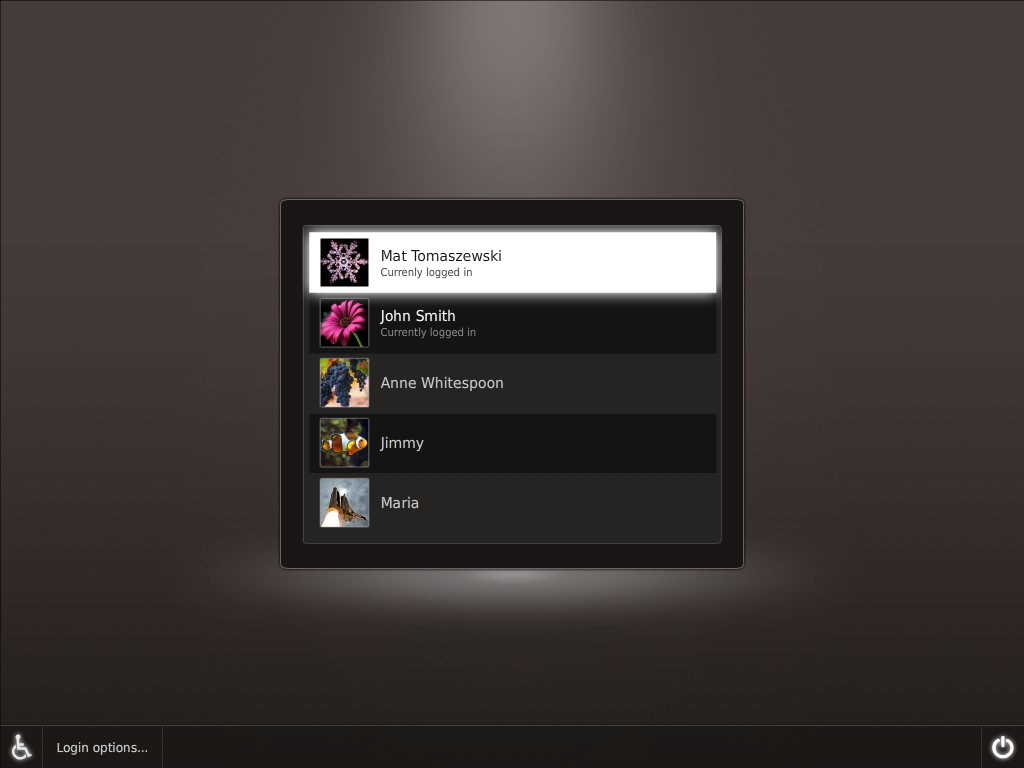
Although nothing is set in stone just yet, it looks like the Ubuntu Karmic boot demo and proposed GDM theme iteration 3 (created by Otto Greenslade, Mat Tomaszewski, Mark Shuttleworth, Michael Forrest, Kenneth Wimer), is the direction the final look and feel will take. At the moment (Alpha 5), the boot experience is still pretty much a mess and the new GDM is yet to receive it's new look. There's a PPA for x-splash with the Iteration 3 artwork (YouTube demo), but because of a version numbering error the update fails for a lot of people.

Recently Phoronix was checking in on Ubuntu Karmic's boot time, which was just a waste of time, since the work Scott James Remnant (the Ubuntu Developer Manager) is doing on boot performance won't land until the BETA release. In case you've missed it, Scott James Remnant recently wrote a blogpost that thoroughly explains why the new splash screen in Ubuntu 9.10 will use X-splash and not Usplash or Plymouth

As you might have noticed in Alpha 5, the new design I created for the ubiquity slideshow has now landed! Hooray! Although I only created the background and added some SVG icons (mostly from Breathe), this is my first contribution that will land inside Ubuntu - and not just in a PPA or on a website somewhere.
The Canonical DX team are working hard to meet the Karmic deadline. Sadly, the graphical OS selector and the option to install updates on shutdown has been deferred. The DX team does not have the time nor resources to implement this in time for Karmic. I was also sad to see that the pre-unpacking of packages during download was deferred. The good thing is that all these projects will have a good chance of making it into Karmic+1.
Many people complain about the lack of a completely new theme to replace the brown Human theme. To me it makes perfect sense for Canonical to wait for the Gnome 3 transition before committing resources to the project.

At the end of my quest to contribute to the new boot splash look, there's now (thanks to knn (Nikola Kovacs
), Darkshade and others from the Ubuntuforums.org) a .PNG throbber that can replace the default one in x-splash. The preview below would properly look better with a black/dark background, like my mockup suggestion had.


Grab the .PNG image here...

My fifth suggestion (the fiery letters) also worked out pretty well, but this one requires a black background.


Grab the .PNG image here...


If you need help modify x-splash's appearance visit either:
http://ubuntuforums.org/showthread.php?p=7886454
http://ubuntuforums.org/showthread.php?t=1236727

You can find more information about new features in Karmic here...

Sep 2, 2009

Xsplash, Usplash or Plymouth?


Scott James Remnant (the Ubuntu Developer Manager) has written a blogpost that thoroughly explains why the new splash screen in Ubuntu 9.10 will use Xsplash and not Usplash or Plymouth. A very informative read.

Read his post here...

Source: http://www.netsplit.com/

Aug 22, 2009

Karmic Koala Status


We're approaching Feature Freeze and the initial code drop of new artwork for the Ubuntu 9.10. We've already passed four milestones, but there's still lots of cool stuff to look forward to.

Right now the art team / DX team at Canonical is working hard on creating a slick boot experience. As mentioned earlier, they have already proposed several different look-and-feel ideas for the boot and GDM. I'm convinced that we haven't seen their last proposal yet. The very talented Mr.Doob has been posting some extremely beautiful ideas on the Karmic Boot Experience wiki and I do believe he has been talking to the people at Canonical. Recently he posted a rather colorful idea that received some mixed feedback. Mr.Doob's latest iteration is more in style with the colors of Ubuntu - as you can see below.


Amongst the few things that has been deferred or dropped for this release is the support for installing updates on shutdown. Sadly the DX team does not have the time nor resources to implement this for 9.10 and so it has been deferred from Karmic by the Foundations team.

Karmic will introduce a single graphical interface for package management, currently codenamed AppCenter. The implementation has been divided into four phases, with the first dump landing in Karmic (then April 2010, October 2010, April 2011). For October 2009, there are four major goals:

1. Include in Ubuntu 9.10 a simple and fun interface for finding, installing, and removing software.
2. Increase use of apt: links by Ubuntu enthusiasts, software projects, and ISVs, replacing terminal commands or standalone downloads.
3. Fine-tune the interface presented when software updates are available.
4. Establish a system within Launchpad for registered users to suggest a better description, category, keywords, and/or screenshot for a software package, and for the package maintainer to incorporate those changes into a new version of the package, so that end users can find the software more easily later.


Due to the kernel update and EXT4 by default Karmic is already faster than Jaunty (Phoronix has benchmarks) and the work to reduce the time to boot the operating system will continue across both the 9.10 and 10.04 development cycles. The new boot performance target is a 10s boot for Ubuntu 10.04. Ubuntu 9.10 (Karmic) will attempt to step as much in this direction as possible, but is not expected to reach the target.

On the Ubuntuforums.org there has been a healthy discussion about the Ubiquity slideshow I blogged about a while ago. Join the fun here...

The Migration Assistant will be redesigned and removed from the Ubiquity installer - a decision the will degrade the user experience in my opinion. The migration functionality will be moved into its own application under System -> Administration -> Migration Assistant. It will also been updated to import from the more sources.

Lately the new notification system has also been recieveing almost weekly updates. Compared to the version in Jaunty, the notification system will be improved, optimized and introduce new features in Karmic. MacSlow (Mirco Müller), who is writting the code, has change-logs for each release on his blog.

I am also very exited to see what will happen with the wallpaper in this release. Will this be the first version of Ubuntu to include a photograph as default desktop wallpaper or will the collection of beautiful desktop backgrounds get tucked away in a package somewhere?

Karmic is looking awesome! So, let me end this post with these (somewhat miscolored) words:

Aug 18, 2009

Third Look&Feel Proposal For Boot And GDM Theme


As a followup on my post Proposed look-and-feel for boot and gdm theme, I just wanted to let you know that a third proposal has been uploaded. At a first glance it looks like only the color was changed. When you look closely you'll see the small enhancements like glow, borders, etc. the Canonical artteam has changed since the first demo.

Besides the small changes in the details, I think Canonical will stick with this design without any radically changes. I've really got nothing against brown, but this third demo is really brown, but honestly I was hoping for some more colorful proposal. I even submitted a few mockups to the Karmic Boot Experience wiki. So, I guess the best way to express my assessment can be summed up with one sentence: "close but no cigar".

View all the Canonical's mockups for this third demo here:
Ubuntu Karmic boot demo and proposed GDM theme – Iteration 3

Aug 10, 2009

Proposed Look&Feel for boot and GDM theme


Today Mat Tomaszewski posted this message on the Ubuntu-art mailinglist:

Hi,

Not so long ago we announced the revamp of boot and login experiences in Ubuntu and received a great response from the Artwork Team, with many interesting concepts being submitted. Thanks again for all your hard work.

The deadline approaches fast and the time is now to make final decisions. We have just returned from the Platform Sprint in Dublin, where folks directly responsible for making Ubuntu release happen on time have gathered. The design team's role was to propose final concepts, communicate them to the developers and make sure they can be implemented on time. We have received a lot of valuable feedback and revised our proposals accordingly.

The initial assumptions, however, remain unchanged. The Foundations Team's goal is to start the X server as fast as possible (3-4 seconds on a reference machine) and therefore, Usplash will not be used in most cases. A new splash screen (Xsplash) will be developed on top of the X server and enable a smooth transition into the GDM and the user session.

The latest designs can be viewed here:
https://wiki.ubuntu.com/Artwork/Incoming/Karmic/Boot/Demo.
We're looking forward to your feedback!

Many thanks,
Mat


Contributors: Otto Greenslade, Mat Tomaszewski, Mark Shuttleworth, Michael Forrest, Kenneth Wimer

https://wiki.ubuntu.com/Artwork/Incoming/Karmic/Boot/Demo

Jul 20, 2009

More Graphical Boot Splash Ideas

I've recived a ton of feedback after posting my first suggestion for the new graphical boot splash. This first video was a little over the top, I admit that, and it didn't follow the design guidelines from the wiki page. So I set out to create a new suggestion - one that has been on my mind since Hardy Heron (although my conceptualisaion of the sketches are gone).


Or view the short (boot splash only) .mpg version here...

UPDATE: I've uploaded an updated version that replaces the fade effect with a glow/shine. Check it out here...

Instead of loading the desktop after the boot splash, like the first video does, I added the facebrowser preview by Mat Tomaszewski (although we won't see that in Karmic, everybody loves the bling). Perhaps the throbber should spin a little faster and I should have added a bit more motion blur? Anyway, this is merely a proof-of-concept.

Again, the feedback was awesome! There was even created a ten pages thread on the ubuntuforums.org titled "Pretty Cool Boot Splash Idea For 9.10".

Despite the second suggestion being my favorite (and what I set out to create) I created a third suggestion.


This one could use some fine tuning, but I'm sure the idea will shine through.

Designing a boot splash is hard and one must remember that this is something users will see many, many times - hence abstracting is better than being too literal.

The Karmic Boot Experience wiki contains some pretty slick ideas. Among my favorites are Mr. Doob's boot and troy sobotka. Let's hope the Canonical developers have enough time to make this happen in time for Karmic Koala.

Jul 16, 2009

Graphical Boot Splash Idea

After seeing Mr Doob's awesome boot splash animation, I started working on some animations. I got some great response on my "Ubuntu 9.10 Promotion intro" video and decided to created a suggestion for the Karmic graphical boot splash.
I got a little carried away during the making of this clip (excessive use of effects - sorry!) and landed far far away from what the guidelines describe. Anyway, I've submitted the video for inspiration or perhaps even as a "don't go there" warning LOL.

Grab the high quality .ogv version from my DropBox here...


I've also been working on some more serious ideas, but I have nothing to show yet. I like the throbber I've added in the initial mockup below, but the two circles (throbber and Ubuntu logo) makes it kind of unbalanced. It's really a hard task to create something that follows all the design guidelines and looks slick.

Click to view in fullsize


More to come...

Jul 8, 2009

Mr.doob's boot


As I've mentioned earlier Ubuntu Karmic will get a whole new, shiny and flicker-free boot experience. In other words, the sequence of events between switching on your computer and your desktop session will be largely redeveloped and redesigned.

The standard boot sequence will not include Usplash any longer, instead, the X-session will be started right away. Therefore, the graphical boot splash screen will have the whole X-stack available, including hardware acceleration...

The DX and Design teams are looking for help in the form of fresh, innovative concepts, and that is exactly what Mr. Doob has submitted. Mr. Doob has created a extremely simple, very slick and super sexy design as you can see below.


Xens suggested, in a thread on the ubuntu forum, that we should extend (not reduce) the boot time, because we need time to watch this beautifull splashscreen ;-)

Anyway, let's hope that the folks at Canonical embraces this design, unless they've got something even better. I'm very much looking forward to Ubuntu 9.10.

Source: https://wiki.ubuntu.com/Artwork/Incoming/Karmic/Boot

Mar 1, 2009

PPA For Testing Plymouth In Ubuntu

Plymouth will not be arriving in time for Jaunty, but it is currently planned to replace the Usplash in Karmic Koala (Ubuntu 9.10). However Plymouth is now available for testing in Jaunty though PPA:

https://launchpad.net/~plymouth-dev/+archive/ppa

You'll need kernel 2.6.29 which you can get from here:

http://kernel.ubuntu.com/~kernel-ppa...e/v2.6.29-rc6/

There should be a PPA for the kernel you can add to your software sources soon, but for now this should work for testing purposes. Plymouth seems to be more CPU consuming than Usplash however, the boot time is unchanged.

Some people are hoping the Ubuntu Usplash Smooth will make it into Jaunty, but there hasn't been any sources confirming that. With Jaunty in feature-freeze, this now seems highly unlikely.