Showing posts with label ubuntu wallpaper photo pack. Show all posts

Aug 22, 2009

Karmic Koala Status


We're approaching Feature Freeze and the initial code drop of new artwork for the Ubuntu 9.10. We've already passed four milestones, but there's still lots of cool stuff to look forward to.

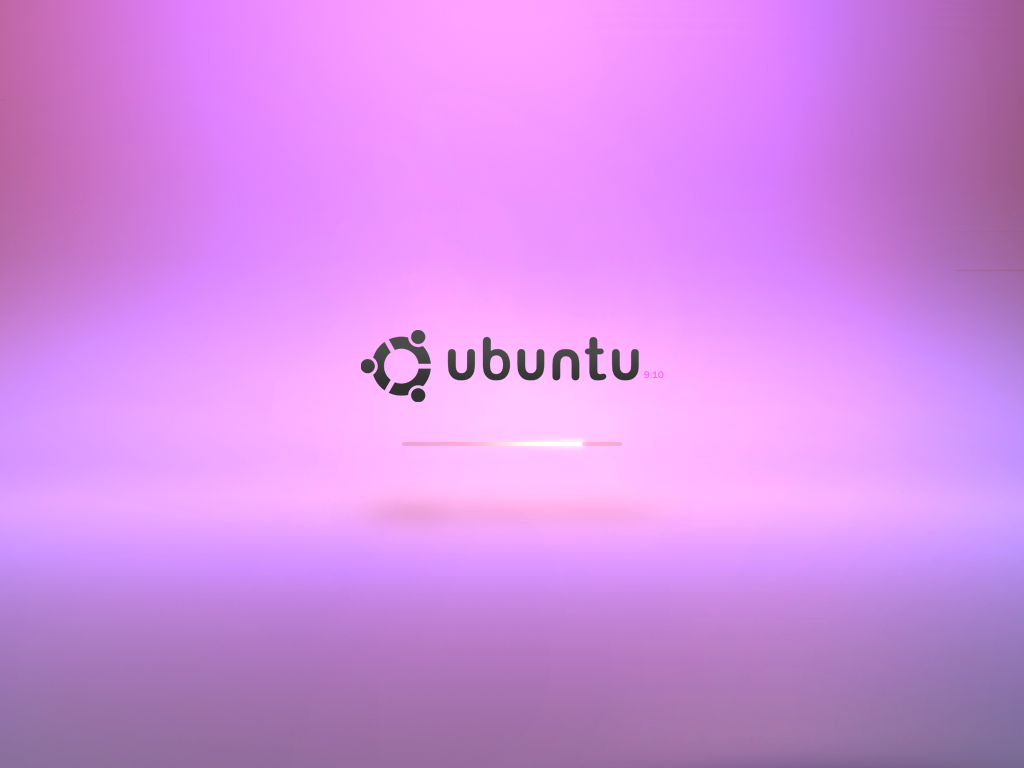
Right now the art team / DX team at Canonical is working hard on creating a slick boot experience. As mentioned earlier, they have already proposed several different look-and-feel ideas for the boot and GDM. I'm convinced that we haven't seen their last proposal yet. The very talented Mr.Doob has been posting some extremely beautiful ideas on the Karmic Boot Experience wiki and I do believe he has been talking to the people at Canonical. Recently he posted a rather colorful idea that received some mixed feedback. Mr.Doob's latest iteration is more in style with the colors of Ubuntu - as you can see below.


Amongst the few things that has been deferred or dropped for this release is the support for installing updates on shutdown. Sadly the DX team does not have the time nor resources to implement this for 9.10 and so it has been deferred from Karmic by the Foundations team.

Karmic will introduce a single graphical interface for package management, currently codenamed AppCenter. The implementation has been divided into four phases, with the first dump landing in Karmic (then April 2010, October 2010, April 2011). For October 2009, there are four major goals:

1. Include in Ubuntu 9.10 a simple and fun interface for finding, installing, and removing software.
2. Increase use of apt: links by Ubuntu enthusiasts, software projects, and ISVs, replacing terminal commands or standalone downloads.
3. Fine-tune the interface presented when software updates are available.
4. Establish a system within Launchpad for registered users to suggest a better description, category, keywords, and/or screenshot for a software package, and for the package maintainer to incorporate those changes into a new version of the package, so that end users can find the software more easily later.


Due to the kernel update and EXT4 by default Karmic is already faster than Jaunty (Phoronix has benchmarks) and the work to reduce the time to boot the operating system will continue across both the 9.10 and 10.04 development cycles. The new boot performance target is a 10s boot for Ubuntu 10.04. Ubuntu 9.10 (Karmic) will attempt to step as much in this direction as possible, but is not expected to reach the target.

On the Ubuntuforums.org there has been a healthy discussion about the Ubiquity slideshow I blogged about a while ago. Join the fun here...

The Migration Assistant will be redesigned and removed from the Ubiquity installer - a decision the will degrade the user experience in my opinion. The migration functionality will be moved into its own application under System -> Administration -> Migration Assistant. It will also been updated to import from the more sources.

Lately the new notification system has also been recieveing almost weekly updates. Compared to the version in Jaunty, the notification system will be improved, optimized and introduce new features in Karmic. MacSlow (Mirco Müller), who is writting the code, has change-logs for each release on his blog.

I am also very exited to see what will happen with the wallpaper in this release. Will this be the first version of Ubuntu to include a photograph as default desktop wallpaper or will the collection of beautiful desktop backgrounds get tucked away in a package somewhere?

Karmic is looking awesome! So, let me end this post with these (somewhat miscolored) words:

May 30, 2009

Give Gnome A More Modern Look

click image to view in full size

When compared to KDE 4, OSX or Windows 7 the default Gnome desktop looks… let’s face it… old. Here are a few steps I took to make my desktop look more modern:

- Change the theme:

I’m using the Dust theme which is included in Ubuntu 9.04 (also available for earlier releases).
- Change the icon set:
I find the Oxygen icon set to be one of the best set’s out there, I really do love the upcoming Breathe icon set. Although Breathe is still work in progress you can already take it for a test drive.
- Change the wallpaper:
Of course I use the photo wallpapers from my Ubuntu Wallpaper Photo Pack, which recently was updated and now holds eighteen photographs (43 MB).
- Adjust panel properties:
Transparent panels look very modern and makes the panels more integrated with the desktop background. Under panel properties I also set the size to 34 pixels.
- Add custom system sounds:
The sounds I’m currently using are the Rhodes system sounds I created myself.

If you like to rock out with your dock, I would recommend that you try Gnome Do.

May 27, 2009

All over the internet

My heart always skips a beat when I see my own work on other sites. When I see that, I’ll know I did something good or something really bad. A lot of sites posted my Ubuntu 8.04 DVD cover and my release party posters.

Today I came across a mockup I created some time ago on Stefano Forenza’s blog for the AppCenter. What surprised me even more was to discover the same mockup was posted on Softpedia. Below the image they wrote: “Ubuntu AppCenter mockup made by MadsRH - Image courtesy of Canonical”


Yesterday I listen to the UbuntuPodcast (Episode #29) and they were taking about my post on podcasts. I wrote:
“The Ubuntu Podcast (not to be mistaken for the Ubuntu UK podcast) seems a bit too casual for me (some might even say unprofessional), sitting in their couch drinking beer.”

They seemed to take it more personally than it was intended. Some people might like the casual style rather than the kind of news/talkshow-like podcasts – personally I don’t. Don’t get me wrong, I love listening to the show.

While we’re on the topic of getting your stuff all over the internet, I should mention I’ve submitted yet another wallpaper on the Karmic Koala backgrounds wiki. It posted under abstract and you can find it here.

Sources:
- http://www.stefanoforenza.com/ubuntu-appstore-in-the-workings/
- http://news.softpedia.com/news/Ubuntu-AppCenter-112572.shtml
- http://ubuntupodcast.net/
- https://wiki.ubuntu.com/Artwork/Incoming/Karmic/Backgrounds

May 12, 2009

Extra Wallpaper Package for Karmic

Today Kenneth Wimer posted a message to the Ubuntu-art mailinglist about an extra wallpaper package for Ubuntu 9.10 (Karmic Koala).

Other operating systems offer an extra selection of desktop backgrounds to their users. Often they are based on different "themes" typically applied to photography (nature, for instance).

For Karmic we would like to include a set of high quality desktop backgrounds which are organized according to a predefined set of adjectives which describe emotional atmospheres, slogans (so to speak) for the way an image makes you feel.

In order to accomplish this we call on anyone and everyone to submit images which are freely licensed and follow the guidelines for inclusion.

Let me know if you have any ideas for improving this idea, or if you'd like to help coordinate things, etc.


As you might remember I posted a small collection of photos titled the "Ubuntu Wallpaper Photo Pack” earlier. I really do hope this will land in 9.10 with success.

Microsoft included a very large package of wallpapers in the Widndows 7 release candidate, which was recently released. Although it includes some very beautiful photos, I find a lot of the wallpapers too distracting to be used as desktop background - great artwork, but bad desktop backgrounds. I'm sure Ubuntu won't make such a mistake.
You can find the Windows 7 RC wallpapers here: http://www.flickr.com/photos/embee/sets/72157617274401628/


Source: https://lists.ubuntu.com/archives/ubuntu-art/2009-May/010360.html

May 3, 2009

60 Beautiful Ubuntu Desktop Wallpapers


If you didn't discover the "60 Beautiful Ubuntu Desktop Wallpapers" link in my "Imagine Ubuntu 9.10" post, here the link again. This is truly a great collection - lot's of good stuff!

http://www.hongkiat.com/blog/60-most-execellent-ubuntu-wallpapers/

If you're looking for a new wallpaper, you might also want to check out my post "Ubuntu Wallpaper Photo Pack"

Apr 12, 2009

Ubuntu Wallpaper Photo Pack


You might remember Kenneth Wimer published some background guidelines for Jaunty back in February. This was a great move because of the lack of organized effort in the artwork. I know that Canonical will be publishing more artwork guidelines within the next cycle, which I'm looking forward to and which I really think will help shape the look and feel of Ubuntu.
This is all fine and dandy, however I don't agree with all the guidelines published back in February. In the .PDF it says:

Design:
- Abstract imagery
- No strong logo usage (recommended)
- No other recognizable/readable text
- No mascots preferred (prove me wrong)
- Avoid parallel lines due to moire problems when scaling
- Be aware of how shapes relate within the whole desktop layout with panels, icons on the desktop, etc.
- No photography, unless heavily edited, stylized. No pictures of recognizable people/places/popular items


I would say that with both Hardy and Intrepid the way mascots was included in the artwork was truly art and worked out fantastic.
As for no strong logo usage I do agree, but I remember seeing some beautiful 3D Ubuntu logo images that worked very well as wallpaper.

Anyway... The last one is the one I actually want to talk about; "No photography, unless heavily edited, stylized. No pictures of recognizable people/places/popular items". I would love to see this included in Ubuntu. I've actually been using some of the Vista photos on my Intrepid desktop (don't tell anyone!) and loved the absence of abstract brown imagery. That's why I've created the "Ubuntu Wallpaper Photo Pack"

In my Easter holiday, I've taken some pictures that I would use as desktop wallpaper on my new Samsung SyncMaster 2343NW 23" (2048x1152 px). I decided to make a small collection which others might also enjoy.
The pack is titled "Ubuntu Wallpaper Photo Pack" and I've included ten photos (of varying quality).

The photos was taken with a PENTAX K10D camera and haven't been edited or manipulated in any way. Some photos are a little blurry, but I think they all make good (some even great) desktop backgrounds. I should mention that the images are mostly flowers and plants (no landscapes or similar included - yet).

You can download the files here (22 MB):
http://dl.getdropbox.com/u/175241/wanted/Ubuntu_wallpaper_photo_pack.tar.gz

Creative Commons License
Ubuntu wallpaper photo pack is licensed under a Creative Commons Attribution-Share Alike 3.0 United States License.